
Let’s look at the Microsoft error message which states: «Oops — something went wrong. Whatever happened, it was probably our fault . Please try again«.
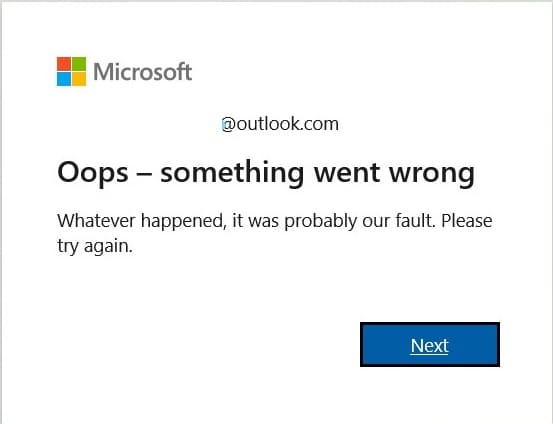
One of the solutions to this error is to try to reset your account password.
1. Select «Forgot password?»
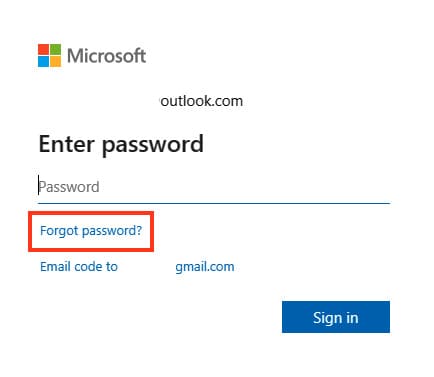
— If the «Enter password» window is still open, select «Forgot password?»
— If not, select «Reset password» below, enter the username for the account you are trying to reset, and click Next.
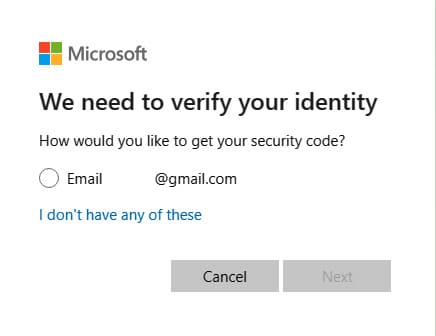
2. Credential verification
— Choose how you’d like to receive your verification code.
— Select Next.
3. Receiving the verification code
— Enter the first part of your email address or the last four digits of the phone number you provided in the previous window.
— Select Get code.
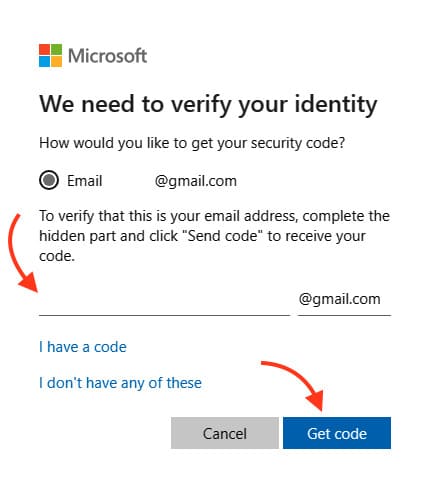
— Microsoft will send a verification code to the email address or phone number you’ve chosen.
— Go to your recovery phone or email and wait for the code to arrive.
4. Code entry and password reset
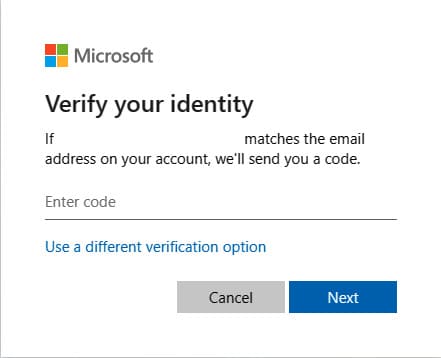
— Paste or enter the code you received and select Next.
— Enter your new password and select Next.
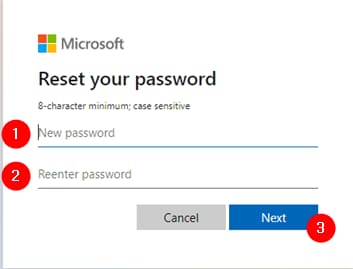
After this, try logging into your account again using the new password.