
If you recently upgraded to Windows 10 and want to back to Windows 7 or Windows 8/8.1, Windows 10 has a special function for this. However, it only works if you upgraded to Windows 10, not if you performed a clean installation.
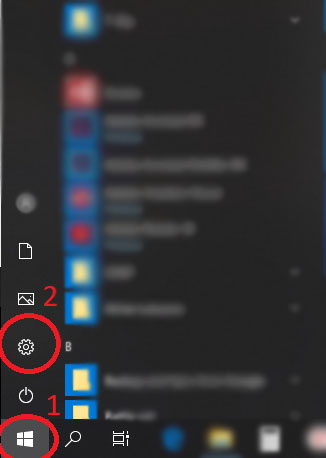
Go to the «Start» menu => Settings
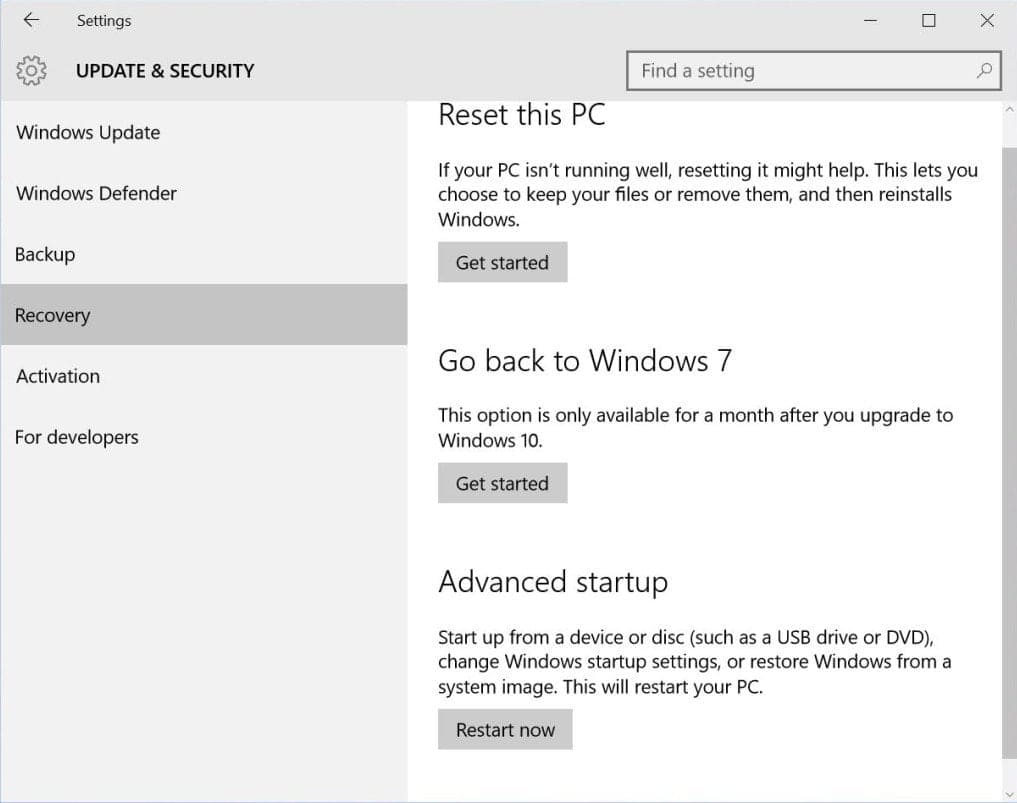
Update & Security
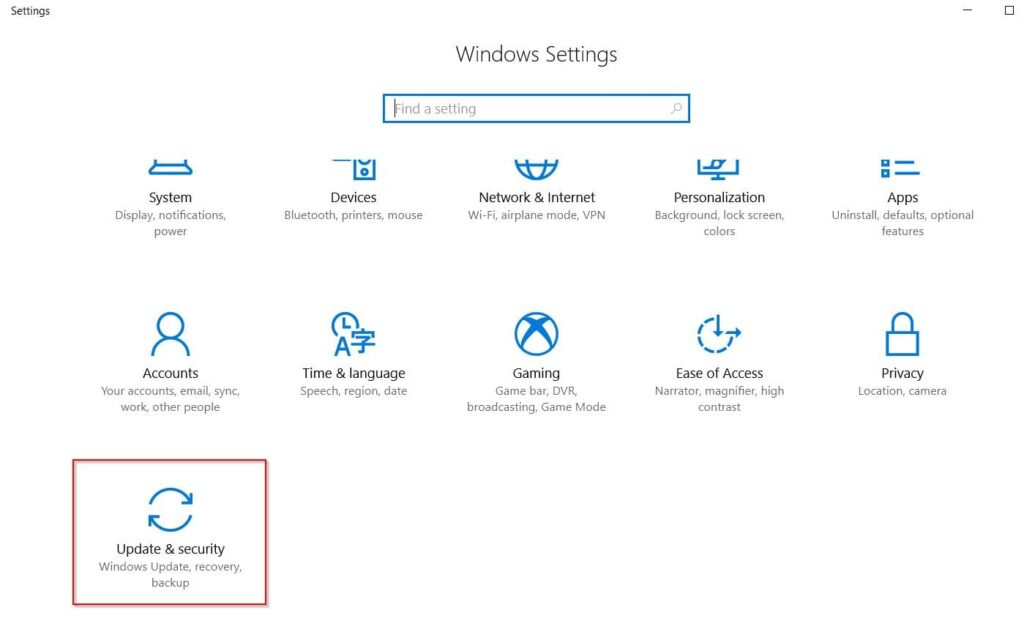
Then select «Recovery». You will see the option «Go back to Windows 7» or «Go back to Windows 8/8.1» depending on the version you upgraded from. Click «Get started» and the system will begin the rollback process to the previous version of Windows.