

When you manually install an update, you may receive an error that is described below: Standalone Windows Update Installer. The installer has detected error 0x8024800c
How to fix it?
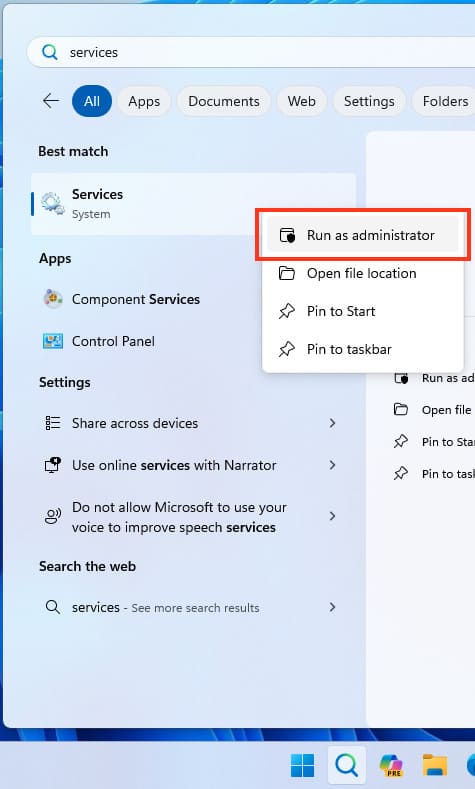
— Go to Start menu => Services => Right click: Run as administrator
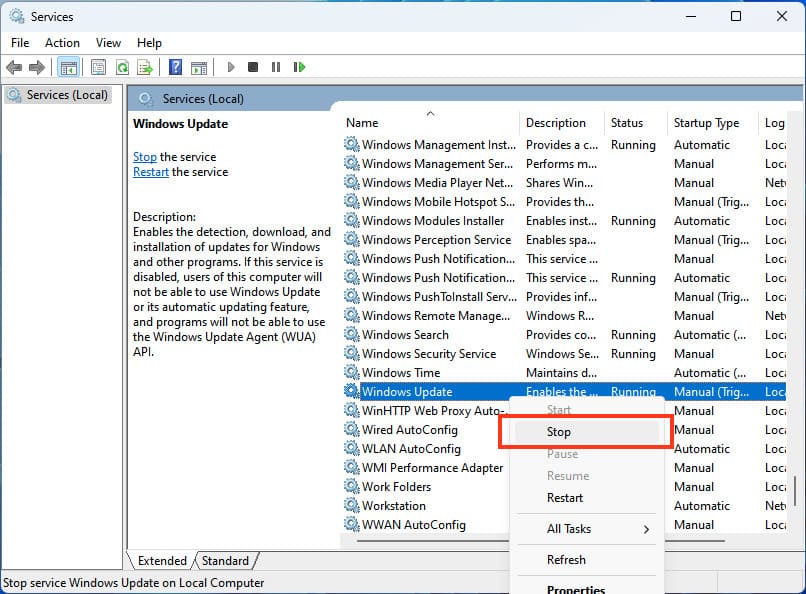
— Locate «Windows Update» => right-click: Stop
— In Explorer, go to the directory C:Windows\SoftwareDistribution
Select all the contents and delete them.
— Go back to «Services» => Find «Windows Update» => Right click: Start.
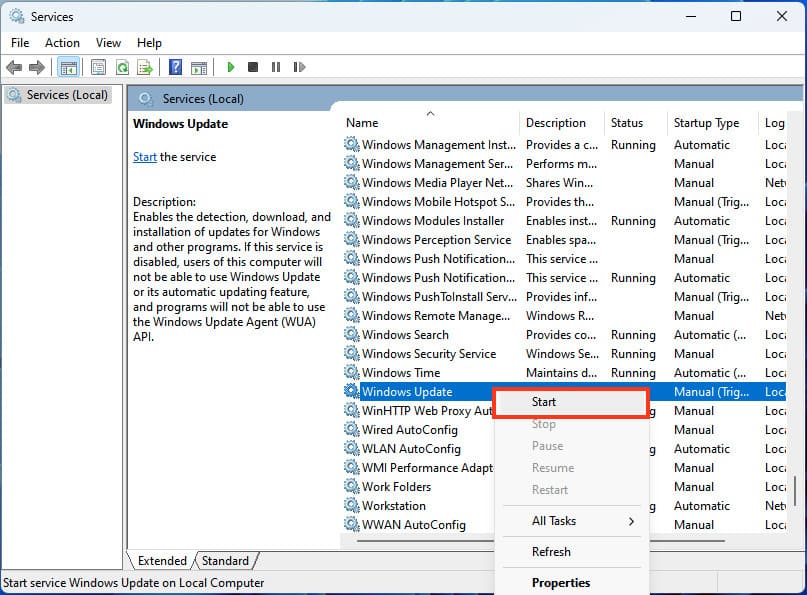
— Wait for the service to start and check if the error is gone.