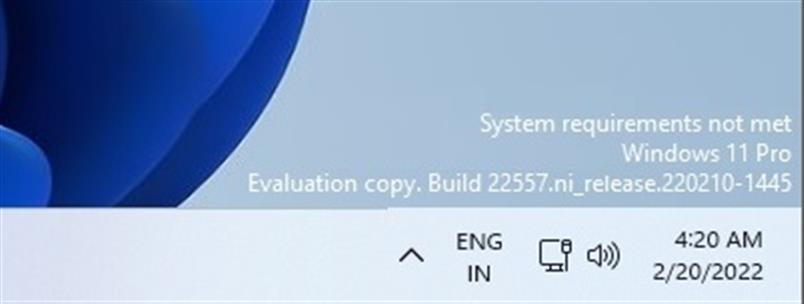
In this article, i will discuss how to remove the “Evaluation copy” label in Windows 11, which is typically located in the lower-right corner of the window.
What causes this label to appear?
This label appears due to the installation of the “preview version” of Windows 11, i.e., a version for early testing intended for developers. Alternatively, it may be caused by relevant updates through the Windows Insider Program via the “Windows Update Center” menu.
How to remove the “Evaluation copy” label?
The only option is to use a third-party free application that removes labels from the desktop. You need to download Universal Watermark Disabler.
You can download the utility from our server via direct link, or from the official website of the application.
After launching the utility, click “Install.”
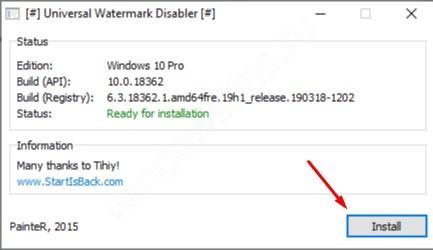
After restarting your PC, the label should disappear.