In this article, we will look at how to change the language in Windows 11. It’s easy and can be done in just a couple of minutes.
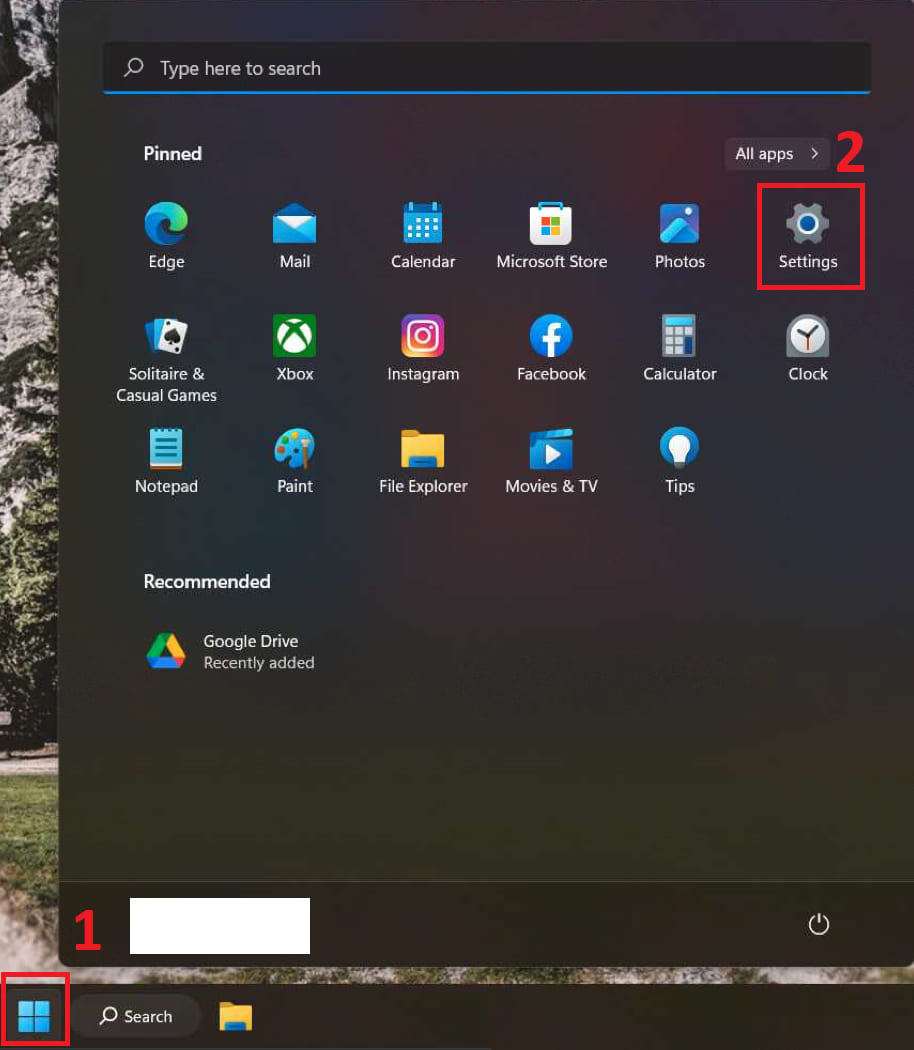
– Open “Start” menu => Settings
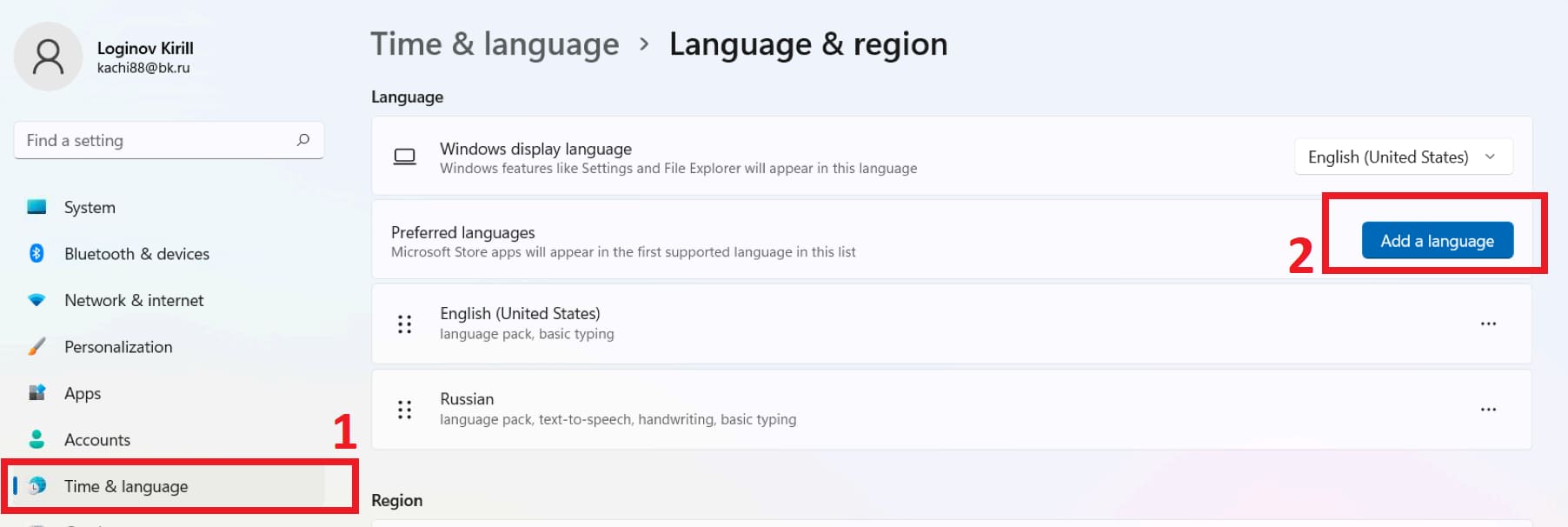
– In the “Time and language” tab, click on “Language and region” => Preffered languages => Add language
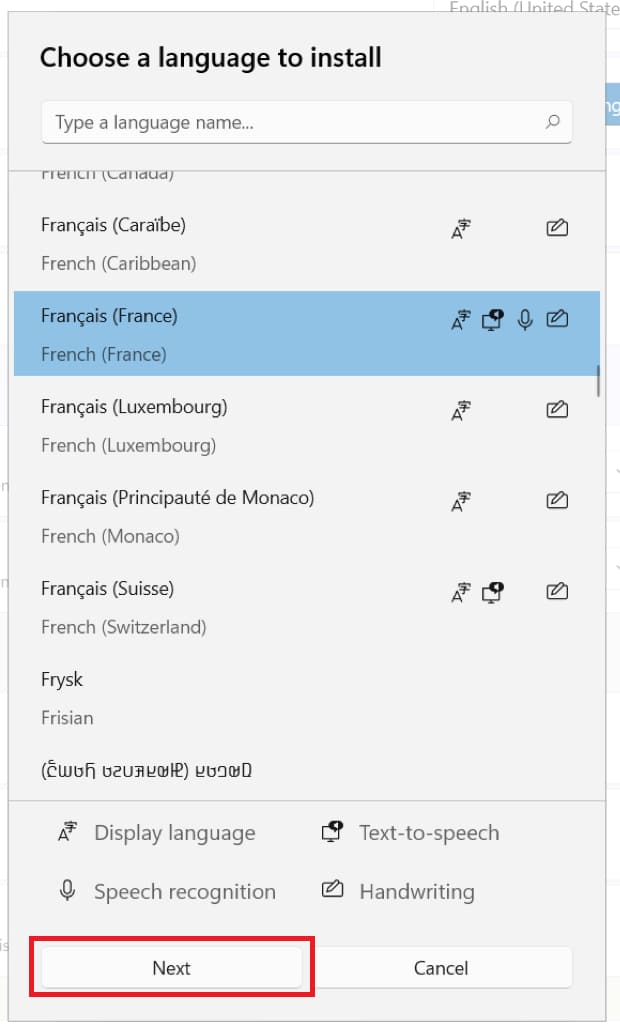
– Select the language you need and then click “Next”.
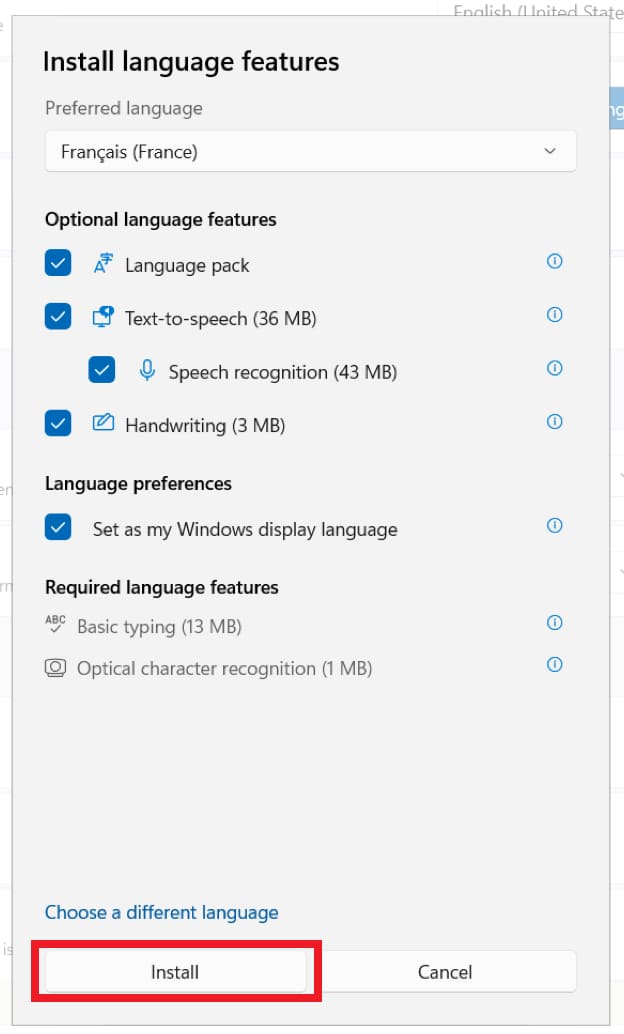
– Mark all the items with checkboxes and click “Install”
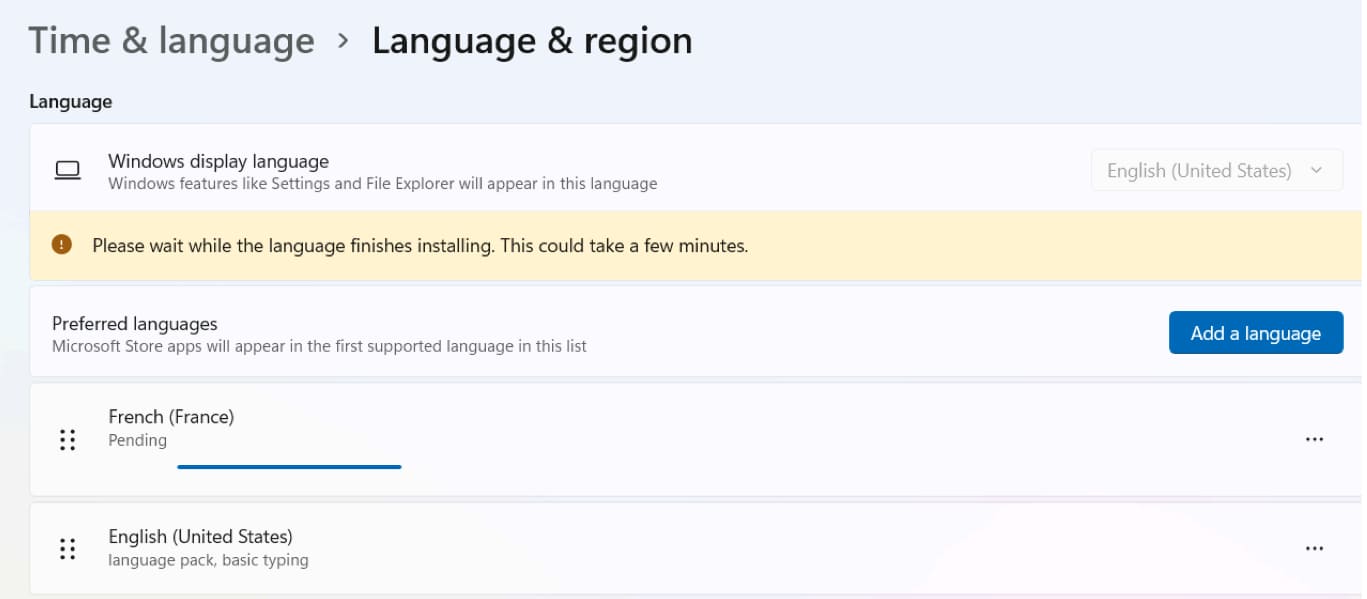
– Now wait for the language to be installed.
– To apply the language change, you need to log out and log in again. Click “Sign Out”
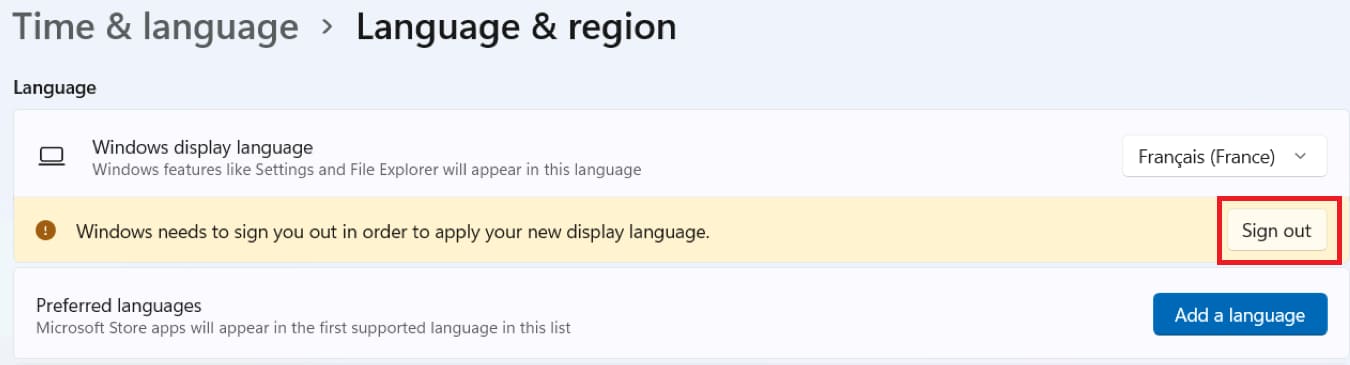
– After re-logging in, the new language will be activated.