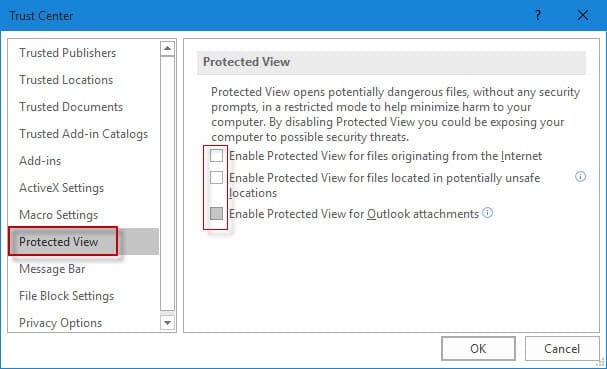
In this article, we’ll look at how to disable “Protected View” in Microsoft Office applications (Word, Excel, PowerPoint, Outlook, etc.).
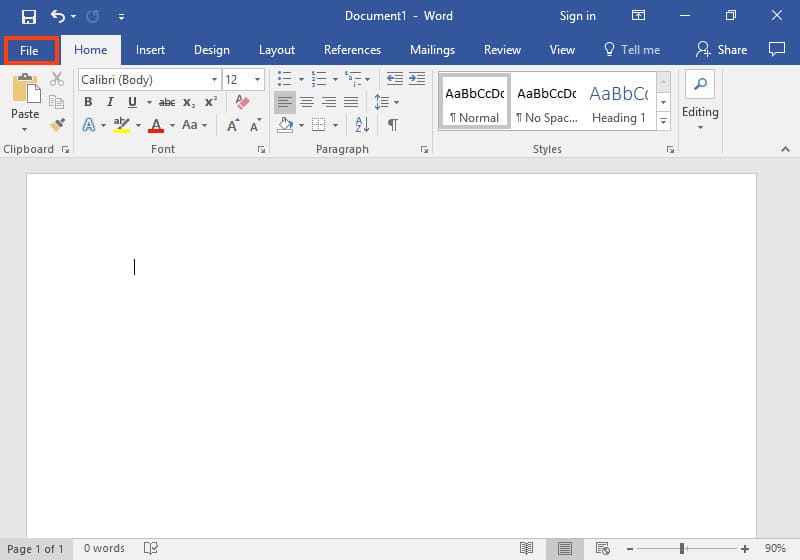
Open any Microsoft Office application, for example, Word => Next, click on the “File” menu.
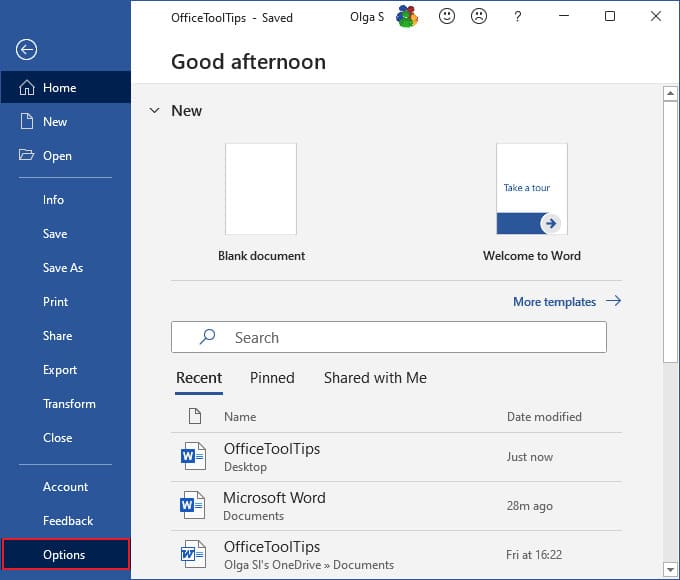
Then, go to the “Options” menu.
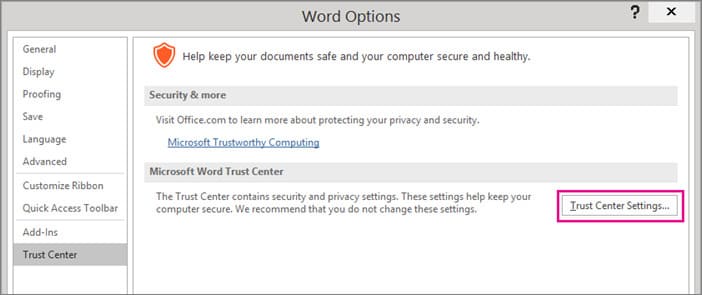
In the new “Options” window, click on the “Trust Center Settings” button.
Next, in the following window, go to the “Protected View” tab and uncheck the checkboxes for the Protected View settings.
That’s it. You can now restart all Office applications and check if the problem is resolved.