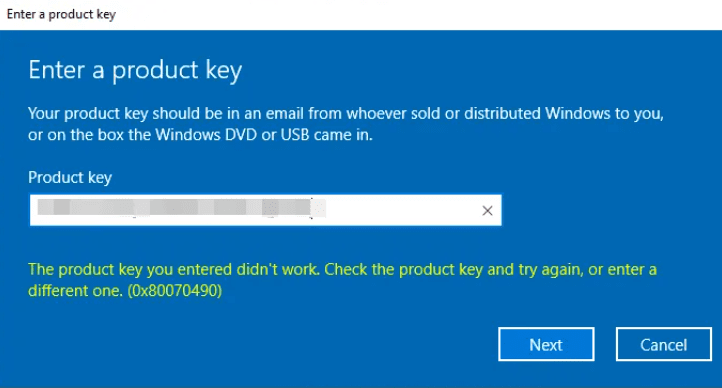
In this article, I will discuss the Windows activation error – 0x80070490. Let’s explore why this error may occur and how to fix it.
1 First, restart your PC and check the activation. The system may activate or update to the Pro version during the reboot.
2) Firstly, ensure that your key version matches the installed system version. For example, if your key is intended for Windows 10/11 Pro, and you have Windows 10/11 Home installed, not all keys are suitable for upgrading from Home to Pro. For clarification on this matter, consult your license seller.
3) If the key edition matches your installed system version, try activating your product key through the terminal. Instructions for Windows 10 / Instructions for Windows 11.
4) If activation still fails, contact your seller. If you don’t have a product key, you can purchase one from our catalog for 0 ₽. Instant delivery to your email immediately after payment, lowest prices! Guarantee and 24/7 technical support.