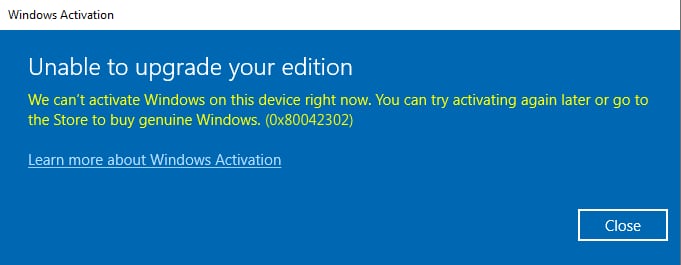
In this article, we will discuss how to resolve the 0x80042302 error in Windows.
Error: “We can’t activate Windows on this device right now. You can try activating again later or go to the Store to buy a genuine Windows. (0x80042302)”
Solution:
1. Try activating Windows through the terminal:
– For Windows 10: activation instructions
– For Windows 11: activation instructions
2. Problem with the product key:
If activation through the terminal fails, the issue might be related to your product key. In this case, contact the seller from whom you purchased the key. If you don’t have a valid key, you can purchase one from our product catalog for Windows 10 and Windows 11.
By following these recommendations, you can resolve the issue with the 0x80042302 error in Windows.