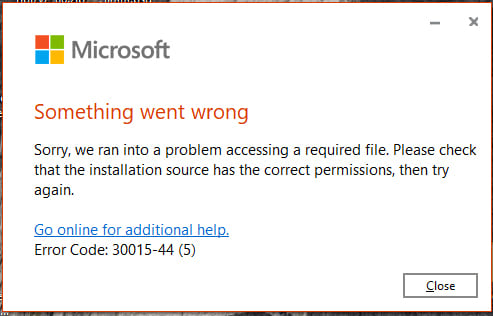
In this article, we will discuss error 30015-44 that occurs during the installation of Microsoft Office: “Something went wrong. Sorry, we ran into a problem accessing a required file. Please check that the installation source has the correct permissions, then try again.“.
This issue can occur because the installer cannot access the files needed for installation.
In this case, use the instructions from our previous article.
After that:
1. Restart your PC.
2. Extract the installer to an empty folder on your desktop.
3. Run the Setup installer from this folder.
You can do this by following the instructions starting from step 2.
By following these steps, you can resolve the issue and successfully complete the installation.