In this article, I will address the Windows 10 update error – 0x8007139f, and discuss the methods to fix it step by step.
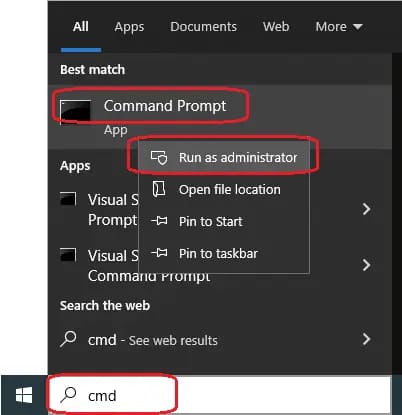
1) Open Command Prompt as an administrator. You can do this by searching for CMD in the taskbar => Then open it as an administrator.
Then, enter the following commands one by one, and press “Enter” after each command:
SC config wuauserv start= auto
SC config bits start= auto
SC config cryptsvc start= auto
SC config trustedinstaller start= auto
Restart your PC.
2) Again, open Command Prompt as an administrator and enter the following commands one by one. Press “Enter” after each command:
net stop wuauserv
net stop cryptSvc
net stop bits
net stop msiserver
Ren C:\Windows\SoftwareDistribution SoftwareDistribution.old
Ren C:\Windows\System32\catroot2 Catroot2.old
net start wuauserv
net start cryptSvc
net start bits
net start msiserver
Exit
3) Now, open PowerShell as an administrator by searching for powershell in the taskbar => Then open it as an administrator.
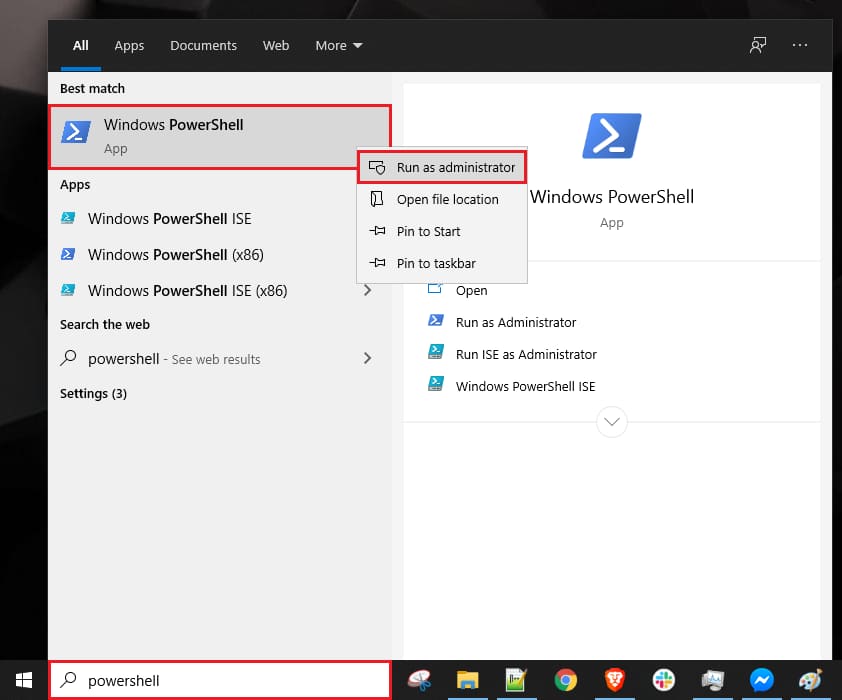
Enter the following commands and press “Enter” after each command:
wuauclt.exe /updatenow
Exit
Restart your PC.
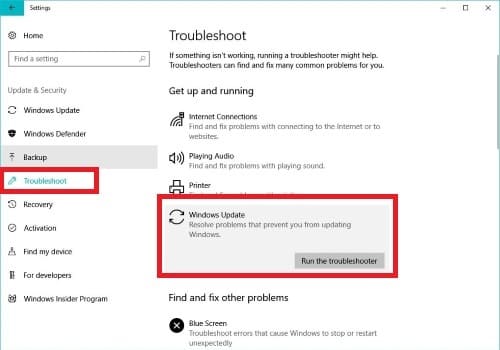
4) Now, search for Troubleshoot settings in the taskbar => In the new window “Troubleshoot” => Run the troubleshooter. Follow the instructions and choose the solution suggested by this built-in utility.
After completing these instructions, you can try to update your Windows 10 again.