There are cases when the activation of Windows 10 Pro or Windows 10 Home – Enterprise version of Windows 10 is installed. What to do in this case?
– The official Microsoft forum suggests the following actions:
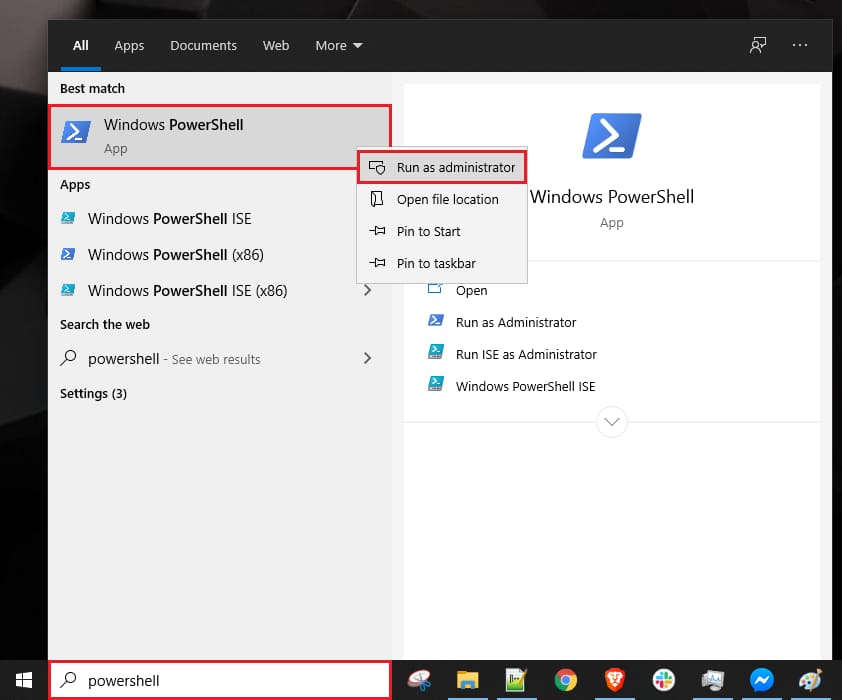
1. Search for PowerShell => right click on the result.
2. Next, type the command: slmgr.vbs /ipk VK7JG-NPHTM-C97JM-9MPGT-3V66T and press Enter.
Then type: slmgr.vbs /ato and also press Enter. Restart the PC.
Now check to see which version of Windows you have installed.