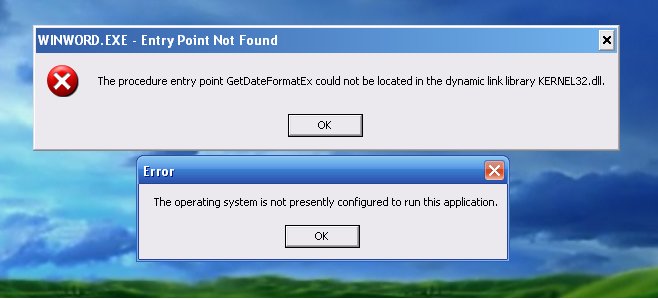
This article is about the fact that after the recent Microsoft Office 2010 updates, users who use this Office on Windows XP simply stopped launching or installing it. Startup/installation errors can be of several types, some of which are
– The procedure entry point GetDateFormatEx could not be located in the dynamic link library KERNEL32.dll
The operating system is not presently configured to run this
– The procedure entry point EnumCalendarInfoExEx could not be located in the library DLL KERNEL32.dll
Solution:
1) Go to Start => Settings => Control Panel.
2) Next, select “Install and Uninstall Programs” => In the menu on the left side of the window, open “Add or Remove Programs” => Select and check the “Show Updates” box.
3) In the update list, find and install the following updates (if they are not already installed)
KB2863821, KB4461522, KB4461614, KB4462157, KB4462174, KB4462174, KB4462223, KB4461579, 4462174
4) Then select Uninstall.
In addition, we strongly recommend that you use only the original Microsoft Office 2010 installer, which you can download from our catalog on the next page.
Also, we recommend using only official product keys, you can buy a product key for only 0 ₽ in our catalog on the next page. Delivery of the activation key is instant in automatic mode, to your e-mail immediately after payment.